Blog

  1. To the future…

    I dread to think about the number of blogs that start by apologising for the lack of posts over the last few months. I’m not going to do that, instead I’m going to start by saying that this is a conscious effort, and the first step towards pushing our company forwards. We want to be better known, and we want to grow.

    Blogging is just one of the things that has so far helped us along the way, so I’ve no idea why we stopped posting. I suppose it’s because we’ve been so busy - but that’s no excuse. You may have noticed that we’ve been tweeting more recently, too. That’s another thing that we want to do more of. We have all this knowledge about online marketing, and we educate our clients and push them to do all these things, yet we don’t even do them ourselves. If a client asks if this stuff works, what better example to use than our very own company? But that’s not going to happen if we keep making complaints about being ‘too busy’.
    Read more

  2. Our new home: Leeds

    Hello, We haven’t blogged in so long and we feel bad! We’ve made a lot of changes recently moving citys, we have a new office and we’ve rebranded. The blog has therefore suffered, we are still planning on writing posts and giving back to the design community don’t worry!

    Read more

  3. 2012

    Last year, 2011, was a good year for us; busy, interesting, exciting, scary, all mixed into one. We learned a lot, honed our skills, developed new ones, new relationships, new ways of working, and created a lot of work we’re really happy with. We grew, too. We changed from a freelance outfit to more of a small agency, which was the scary part I just referred to - but it couldn’t have gone better.

    We’re just over two years old now and 2012 is going to be a big year for us. We’re really excited.

    It goes without saying that we want to keep doing what we did last year. Keep learning, every day, and keep producing work that we’re proud of by pushing ourselves at every opportunity. But we also have a few more specific things that we really want to do, and will.
    Read more

  4. Building Awesome Mailchimp Templates

    I was given the task of building a MailChimp template the other week. It’s been a while since I’ve done one but I knew the basics of it all. Since I last worked on template building, MailChimp has made some pretty good progress… We can now have hideable areas and the interface that you use for building newsletters seems to be a lot less buggy.

    What I’m going to teach you today is how to build repeating content areas, which look different, but use the same piece of code. You can then hide certain parts of the code to alter the layout. You may think this sounds pretty simple but there are a few things to take into account; namely who will be using your template, what skill level they have, and how compatible you want to make the template with email clients such as the dreaded Lotus Notes.

    As this article is specifically aimed at MailChimp and their templates, I’m going to assume that you know what MailChimp template tags to use for hideable and repeatable content sections. If you don’t, you can find the template tag guide here.

    The Task

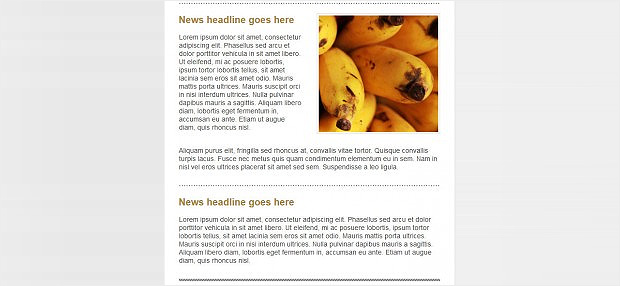
    Build a content section that may or may not have an image in it. If it does have an image, the image will be on the right, with text to the left and text underneath. The image has a border of 1px with padding between the border and the image of 3px. Here’s an example of the two content section options we’ll be able to achieve:

    Read more

  5. Movember!

    This year both me and my fellow mo bro chris are taking part in the ever more infamous Movember season. For those of you who don’t know, this means that we’ll both be growing moustaches from the 1st to the 30th November in the hope that we can get some sponsors and “raise vital funds and awareness for men’s health, specifically prostate cancer and other cancers that affect men”. We’ll probably look like we’re auditioning for the next 118 advert, but it’ll be worth it.

    movember

    If you want to look at our ugly mugs for the next 29 days and follow our progress, we’ll be taking a photo of ourselves every morning here: http://dailybooth.com/whatcreative
    Read more

  6. The Importance of User-Centered Design

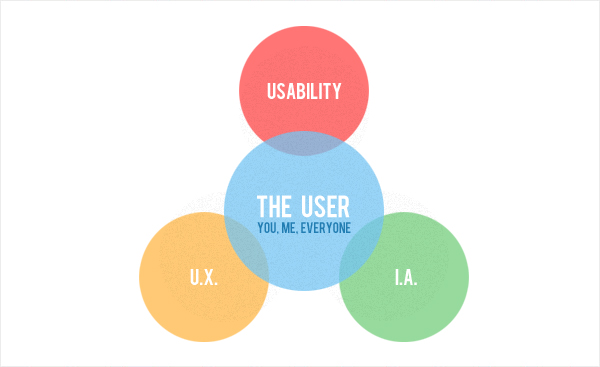
    Let me introduce myself, I’m what you call “a user”

    So, you might be thinking this is something of a contrived statement? One that is to lead on to an article full of humorous wit and intrigue, maybe with a twist! Well, I’m afraid such an assumption may lead to nothing more than bitter disappointment. But hold on and wait just a moment longer, there is a reason for doing so.

    User centered design

    Okay, let’s get down to the nitty-grit, the nuts and bolts, the crux, the real reason why we’re all here.
    Your latest site build has gone live – it’s looking good, it’s on-brand, it’s ticking all right the boxes, it’s a master piece of modern art, a real winner. The analytics figures are beginning to come through and traffic is hitting the site in huge numbers… It’s looking like a massive success, the client is going to be ecstatic, joyous beyond all belief. You’ve got them now; a roaring success and new business will indeed be yours for the taking.
    Read more

  7. Ye Olde 960 Grid System

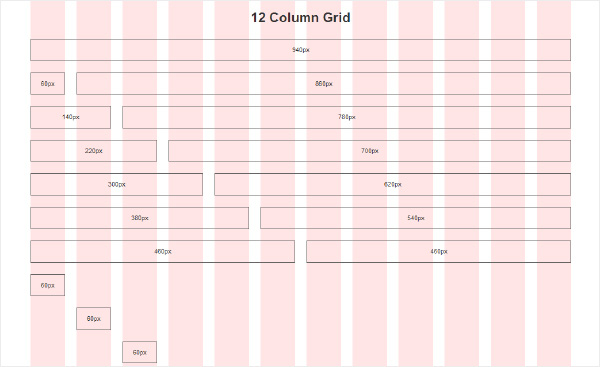
    There’s no denying that a solid grid system is imperative to the design of any successful website, but there’s not enough variety in what I’m seeing out there. It’s all the same, and it doesn’t all work. I’ve titled this post “Ye Olde 960 Grid System” because I think this grid (whether fixed or responsive) is exactly that. Old.

    Mark Boulton has been talking about taking a “content out approach” to web design for a while now and I think moving away from the ‘standard’ grid fits into this approach perfectly. Unfortunately I haven’t attended any of the conferences where he’s been discussing this topic (so, sorry Mark, you may have covered this), but using the 960 grid (or any of the slight variations) as a starting point is too easy. It’s lazy. We should let the content decide the grid, not force it into a tried and tested method that’s supposed to be ‘the best’ way.
    Read more

  8. WordPress Advanced Custom Fields Plugin

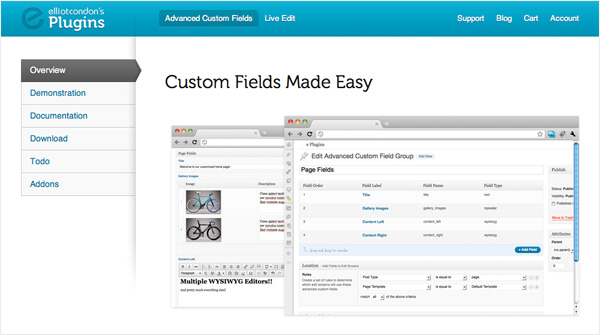
    Shortly after we finished writing our recent post on the top 10 WordPress Plugins 2011, we came across this little plugin whilst working on a WordPress CMS project. It’s developed by a guy called Elliot Condon, and we found it to be so good that we had to dedicate an entire post to it.

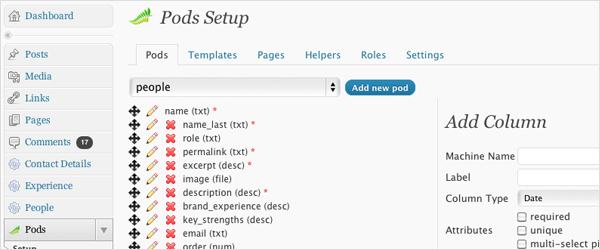
    The Advanced Custom Fields plugin is, in one word, brilliant. For anyone looking to extend the functionality flexibility of WordPress as a CMS, without using something as complicated as Pods CMS Framework, it’s perfect.

    You can use it to pretty much replace the standard WP ‘Edit’ screen with whatever fields you want. It’s really simple to use, too. Once you’ve created your list of custom fields you then assign that ‘set’ to any number of templates, stick a few bits of code in your HTML, and you’re away!
    Read more

  9. Mobile Usability and Designing for Interrupt-ability

    Last week we attended an evening dedicated to opening our minds and gathering some tips on mobile usability. The evening was free and hosted by Northern User Experience, and these are my thoughts…

    The main talk was by Kimberley Bottomley, a User Experience Manager at Aviva who has “spent a considerable amount of time researching [mobile usability] and learning about [it] in the past 12 months”.

    The talk got off to a bit of a slow start, detailing some points which any good designer or User Experience professional should take into consideration on every project, whether mobile or not. However there were several interesting facts and figures to spark discussion amongst the group.

    Read more

  10. Top 10 WordPress Plugins 2011

    1. Pods CMS

    www.podscms.org

    Just as the name suggests, Pods CMS is a content Management plugin for WordPress. Gone are the days of people using WordPress for your blog alone. It’s fast becoming one of the industry’s standard CMSs, and if you’re thinking about using it for this purpose, then this plugin is possibly the most powerful of all.

    Read more