It’ll come as no surprise to those who have been following the releases of this practical series by A Book Apart, that this is a really great little book. And by ‘little’ I mean exactly that. (It only took about 3 hours from start to finish, and I’m definitely not the world’s fastest reader!). But that’s by no means a reflection on the quality of the content.
Responsive Web Design is a very concise and to-the-point book on how to apply front end development techniques in order to make a single website adapt to be more easily viewed at multiple screen resolutions, and on multiple mobile and desktop platforms.
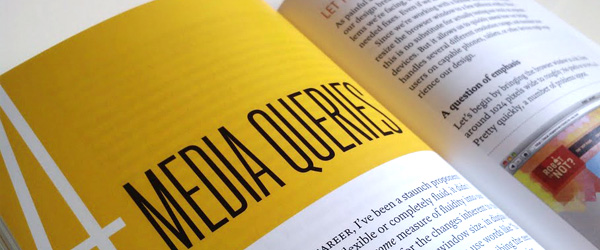
The book covers every step of the process, from the considerations that need to be made at the design stage, to progressively enhancing the functionality and content of the pages depending on the device that it’s viewed on. The chapters cover Flexible Grids, Flexible Images, and Media Queries; all the components needed to make your designs responsive.
It goes into (almost) the perfect amount of detail at every stage. It doesn’t get too bogged down in code, but shows just enough to explain the point, and Ethan writes with a tone of voice that’s engaging and light hearted - a definite contrast to some of the books I’ve read. And it makes a difference. I don’t have much time for reading, and to be honest I quickly get bored with books, no matter how useful they may be. Most of the time I’ll start a book and by about half way though I’ve already started skipping paragraphs and sections to get to the bits that I actually need to know, but this time I read every word. It was easy to stop and pick up where you left off, but due to it’s pocket-sized nature, you could easily finish it in one sitting if you really wanted to.
My only complaint, and in my opinion the only two places that the book lacked a little extra detail were in the Media Queries chapter, and in the Javascript section at the end.
In all fairness, the Media Queries were explained very well, and for something that can be a little confusing to get your head around they were made quite clear. I just feel that Ethan could have covered the benefits and uses of stringing queries together in a little more depth. It is mentioned, but almost brushed passed. All he says is this:
What’s really exciting is that we can chain multiple queries together with the ‘and’ keyword:
@media screen and (min-device-width: 480px) and (orientation: landscape) {...}This allows us to test multiple features in a single query, creating more complex tests for the devices viewing our designs.
It would only have taken a paragraph or two more to go into a little extra depth and describe a couple of scenarios where this would be very useful, and for a book which makes a point of explaining every decision and giving an example of how it could be applied in ‘real life’, I was surprised how quickly the chapter moved on - especially considering he referred to it as really exciting.
My point on Javascript is also a little picky. There is a section right at the end which covers the image slider, or ‘carousel’, that Ethan implements on his example website, which works using jQuery. Now, this isn’t a book on jQuery, so it’s fine to go into minimal detail on this, but where I think the section lacks is on disabling certain functions based on the device you’re using.
Anyone who cares about user experience will know that jQuery animations can sometimes take a lot of processing power and are likely to run a bit slow on most tablet and mobile platforms. You also can’t take advantage of :hover animations as there really isn’t such a thing when using a touch screen (see our post on Designing for Touch Screens). The chapter talks about adding the following code to only load functions if the screen is above a certain size:
if (screen.width > 480 {

$(document.ready(function() {...};

}
…Which is great. However it would have been really nice if there was just a little more detail on targeting specific devices, rather than simply enabling it over a certain screen size. The reason I say this is because I’m not sure that targeting the screen resolution (alone) is the best solution to progressive enhancement. If you want to disable things on tablet devices then that means targeting a much bigger resolution than 480px, and then you start entering the realms of desktop computers and browsers that you most definitely do want to run the jQuery. I think this solution combined with specifically targeting the most popular tablets / mobiles could be the best option, and it would have been a useful final note in the chapter if it had been included.
All in all though I couldn’t recommend this book enough. It’s very intelligently written and is perfectly concise and very interesting. For anyone who is new to Responsive Web Design it will open your mind to exciting new possibilities, and for anyone who is already familiar with this method of web development it will almost certainly build on the knowledge you have, and introduce you to a better, more informed way of approaching your responsive projects.
As a finalt note, I’m glad that Ethan makes a point of explaining that this technique should not be used on every project. There have been a few arguments spark over the responsive ‘fad’ as some like to think of it, condoning those who support it on the basis that, like many of the latest advancements in web technology, it can be and will be abused. Despite Ethan’s book shouting about how great responsive websites are, he stands up to the fact that you should always consider other options and do what’s best for the client and their users.
For anyone who has already read this book - What do you think?
Shortlink:
By Chris Skelton