Blog

  1. Mobile Usability and Designing for Interrupt-ability

    Last week we attended an evening dedicated to opening our minds and gathering some tips on mobile usability. The evening was free and hosted by Northern User Experience, and these are my thoughts…

    The main talk was by Kimberley Bottomley, a User Experience Manager at Aviva who has “spent a considerable amount of time researching [mobile usability] and learning about [it] in the past 12 months”.

    The talk got off to a bit of a slow start, detailing some points which any good designer or User Experience professional should take into consideration on every project, whether mobile or not. However there were several interesting facts and figures to spark discussion amongst the group.

    Read more

  2. Top 10 WordPress Plugins 2011

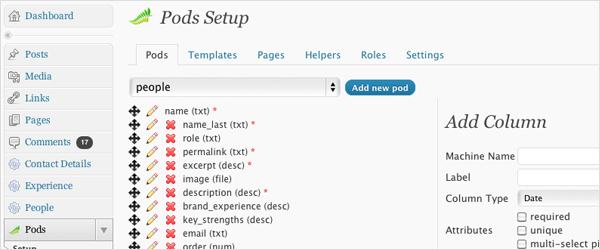
    1. Pods CMS

    www.podscms.org

    Just as the name suggests, Pods CMS is a content Management plugin for WordPress. Gone are the days of people using WordPress for your blog alone. It’s fast becoming one of the industry’s standard CMSs, and if you’re thinking about using it for this purpose, then this plugin is possibly the most powerful of all.

    Read more

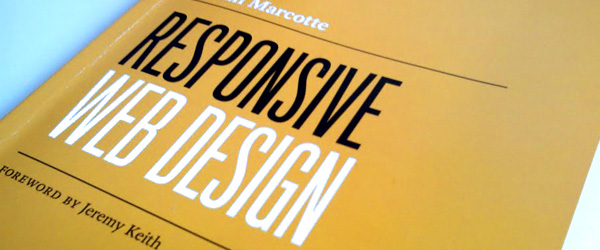
  3. Review: Responsive Web Design by Ethan Marcotte

    It’ll come as no surprise to those who have been following the releases of this practical series by A Book Apart, that this is a really great little book. And by ‘little’ I mean exactly that. (It only took about 3 hours from start to finish, and I’m definitely not the world’s fastest reader!). But that’s by no means a reflection on the quality of the content.

    Responsive Web Design is a very concise and to-the-point book on how to apply front end development techniques in order to make a single website adapt to be more easily viewed at multiple screen resolutions, and on multiple mobile and desktop platforms.

    Responsive Web Design by Ethan Marcotte

    Read more

  4. Long Live Facebook Apps, the Microsite is dead!

    Facebook launched the new page layouts on the 10th of March to bring the ‘Pages’ design in line with Profile pages. The two biggest changes to note are that tabs have moved to left hand side, and there are now a selection of images across the top.

    Static FBML is now being phased out in favour of Facebook Apps, which means you can build apps with HTML, CSS and Javascript using the Javascript SDK, or with PHP, CSS and Javascript using the PHP SDK. These files are hosted on your own server and then pulled into Facbook via an iFrame.

    Read more

  5. Web Design Trends: Don’t be a sheep. Do your job right.

    Trends are everywhere, especially in the design world:
    fashion, web design, interior design, even type design - we can’t avoid them. But are they actually a good thing? In many ways I think possibly not…

    People don’t buy websites based purely on how they look

    The Web Design industry is a little different from other creative industries who may be, for example, purely focussed on creating visual impact. We have many other variables to consider in order to create websites that benefit the users by having a good user experience, and that also benefit the client by increasing conversion and/or awareness of their brand - which both go hand in hand with it having a quality design. My feeling is that some people get so hooked on design trends that they forget what they are actually supposed to be doing as web designers / developers.

    We aren’t paid to simply create pretty pictures and seek the approval of our clients second to our peers, we are paid to create usable systems that benefit the users of the Internet.

    Read more

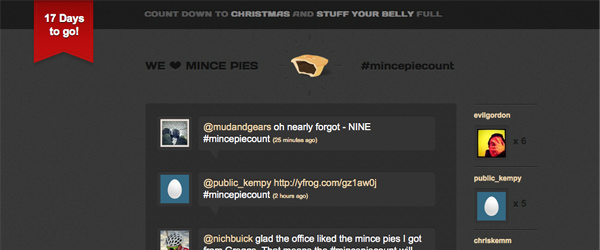
  6. MincePieCount CSS3 Animations

    Every year many companies, especially creative agencies have the dilemma of “what do we do for Christmas!?” We simply made some nice Christmas cards last year but this time we wanted to go one better and create something digital as well as something that’s fun, creative, and shows off our skills!

    www.mincepiecount.com

    Read more

  7. Flash on the Beach 2010 - A Round Up

    Better late than never, we’ve finally come around to finding time to tell you about our experience at Flash on the Beach 2010, which took place between the 26th and 29th September. Now, we don’t do much Flash here at What!? Creative, but based our experience last year of being completely inspired by a massively diverse range of speakers, we decided to give it another go and make it two years running…

    So, without further redo, here’s a round up of all the best bits from FOTB 2010:


    Read more

  8. Font Embedding & The Law

    Choosing the right font is key to any piece of graphic design, whether it be for web or print. Unfortunately web designers have been stuck with the same old system fonts for years, unable to create intricate typographical layouts without the use of images. I think we’ve done a pretty good job to be honest because any old-school print designers would have a heart attack if they knew we’ve been working with a choice of about six fonts to fulfil the needs of every website that we create.

    There have been a number of different processes and applications written to try and solve this problem by allowing custom fonts to be embedded into websites. In this post we will outline the latest and most popular techniques, and the legal issues that you may unknowingly face by using them.
    Read more

  9. Texture in Web Design Part 2: Pixel Patterns, Noise, and Grain

    We began this two part series on texture in web design by talking about text and button textures, and how they can be used to inset, or outset page elements. These help to add more depth and subtle aesthetics to your designs, making them look more professional and polished. This week, we’ll be showing you how to add texture to other page elements such as your backgrounds / content areas, as well as how to use pixel patterns to make your text and box-shadows more interesting.

    Noise and Grain

    Noise and grain is all over the web at the moment, with some big players in the design community using it very effectively in their designs. A good example of this is Dribbble. If anyone doesn’t know what Dribbble is then you can read about it in this post.
    Read more

  10. Texture in Web Design Part 1: Inset / Outset Elements

    A growing trend amongst top web designers is to use an assortment of subtle textures in their work. This helps give depth and, even if you don’t notice them at first, add an extra degree of complexity and intrigue to a design. If used intelligently and effectively (and by that I mean tastefully!) textures can really lift a website to the next level.

    Over the next two weeks I will walk you through a range of techniques that can be applied to many different elements of your designs to give them just that extra bit of style…

    This week we’ll be mostly talking about insetting and outsetting page elements in Photoshop (and CSS3), as well as covering how add these effects to non-vector patterns without having to manually cut them out!

    Inset / Outset Text & Objects

    This is a pretty simple one really and it works on almost any style of font. For both effects you begin in the same way… First, type out your text and select your colours / background colour in Photoshop. Then, in your layers pallet double click the far right of the text layer that you want to apply the effect to. A Layer Styles box should open…

    Read more